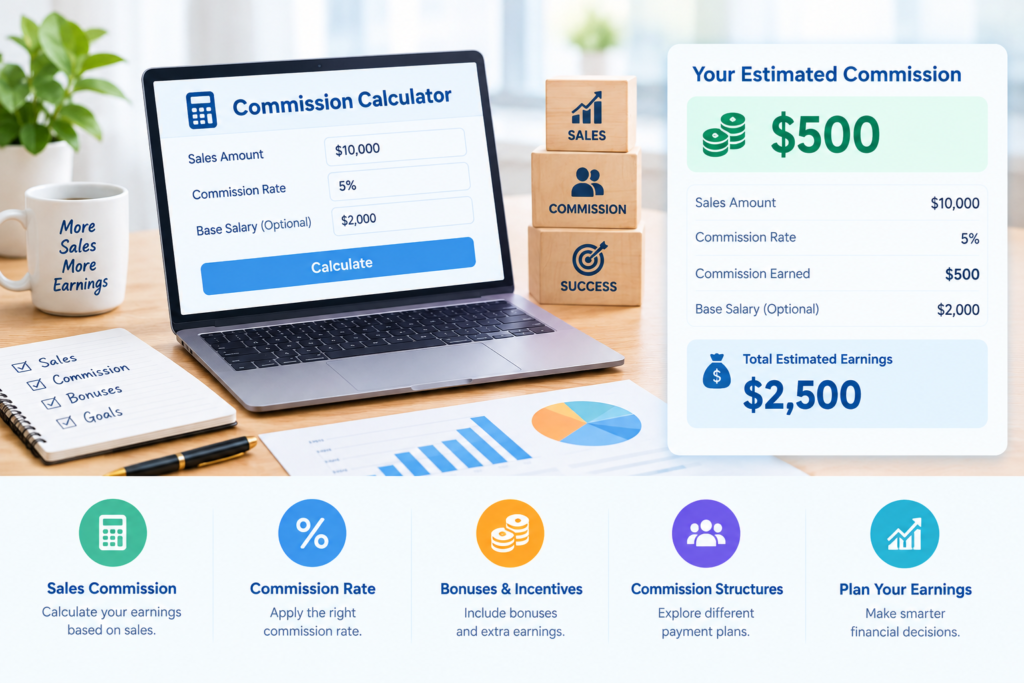
Our commission calculator helps you calculate earnings from sales, property transactions, and business deals quickly and accurately. Whether you are a real estate agent, sales representative, broker, freelancer, or business owner, you can enter a sale amount and commission rate to estimate your earnings. This free online tool simplifies percentage calculations, saves time, and helps you understand how much you could earn from a transaction.
What Is a Commission Calculator?
A commission calculator is an online tool that determines the amount earned from a sale or transaction based on an agreed percentage. Businesses often use commission-based payments to reward sales performance, while real estate professionals may earn a percentage of a property’s selling price.
The calculation is straightforward when a single percentage applies to the entire sale. Enter the relevant values to estimate the payment without performing the mathematics manually.
How to Use the Commission Calculator
Follow these steps to calculate your earnings:
- Enter the total eligible sale amount.
- Enter the agreed commission percentage.
- Click the calculate button.
- Review the result displayed by the tool.
- Change the values if you want to compare different scenarios.
Always ensure that the entered amount and percentage match the terms of your agreement.
Commission Calculator Formula
The standard formula for calculating commission is:
Commission = (Sale Amount × Commission Rate) ÷ 100
For example, if you sell products worth $10,000 and receive a 5% commission, your earnings are $500.
Calculation: ($10,000 × 5) ÷ 100 = $500.
This formula works for many percentage-based transactions. Agreements that include bonuses, deductions, or tiered rates may require additional calculations.
Commission Calculator Examples
The following examples show how different sale amounts and percentages affect your earnings.
| Sale Amount | Commission Rate | Commission Earned |
|---|---|---|
| $1,000 | 3% | $30 |
| $5,000 | 5% | $250 |
| $10,000 | 7% | $700 |
| $20,000 | 10% | $2,000 |
| $50,000 | 4% | $2,000 |
For example, a 7% rate on a $10,000 sale produces $700 in commission. You can enter your own values to estimate the amount for your transaction.
Real Estate Commission Calculator
A real estate commission calculator helps property agents, brokers, buyers, and sellers estimate the commission associated with a property sale. The payment is often based on the final selling price and an agreed percentage, although arrangements vary by contract and location.
Suppose a property sells for $300,000 and the agreed rate is 4%.
- Property sale price: $300,000
- Commission rate: 4%
- Estimated commission: $12,000
Calculation: ($300,000 × 4) ÷ 100 = $12,000.
This estimate may exclude taxes, additional fees, or other contractual adjustments.
Sales Commission Calculator for Sales Representatives
A sales commission calculator can help sales representatives estimate compensation from completed transactions. Depending on the employer, payment may be based on a fixed percentage, product category, sales target, or performance bonus.
For example, if a salesperson generates $15,000 in eligible sales and earns 6%, the commission is $900.
Sales professionals can use these estimates to review expected income, compare payment structures, and plan their sales targets.
How to Calculate Commission After a Sale
To calculate commission after a transaction, identify the eligible sale amount and the percentage specified in your agreement. Multiply the sale amount by the rate and divide by 100.
For example, a $25,000 sale with an 8% commission rate produces $2,000 in earnings.
If your agreement includes tiered percentages, bonuses, minimum thresholds, or deductions, the final payment may differ from this basic calculation. Review the agreement before determining the amount payable.
Commission Calculator for Business Planning
Businesses can use a commission calculator to estimate sales expenses, forecast payouts, and plan compensation budgets. Managers may also compare different rates to understand how compensation affects operating costs and profitability.
Before calculating payments, determine whether the percentage applies to gross sales or net sales and whether discounts, refunds, or excluded transactions affect the eligible amount.
Benefits of Using a Commission Calculator
An online commission tool offers several advantages:
- Fast results: Estimate earnings in seconds.
- Convenience: Calculate payments whenever needed.
- Fewer errors: Reduce mistakes when applying percentages.
- Income planning: Estimate compensation from expected sales.
- Rate comparison: Compare different percentages and transaction values.
- Budget management: Forecast potential commission expenses.
These benefits make online calculations useful for sales professionals, property agents, and business owners.
Commission Calculator: Rate vs. Commission Amount
A commission rate is the percentage used to determine payment, while the commission amount is the money earned from a transaction.
For example, a 5% rate applied to a $20,000 sale results in $1,000. The rate is 5%, and the resulting commission amount is $1,000.
Understanding this difference helps you enter the correct values and interpret the result accurately.
Common Commission Calculator Mistakes
Avoid these common errors when estimating earnings:
- Entering an incorrect sale amount.
- Confusing a percentage with a fixed payment.
- Using the wrong percentage input format.
- Forgetting that refunds or discounts may affect eligible sales.
- Ignoring bonuses, deductions, or tiered payment structures.
Always check your entries and review the terms of your commission agreement before relying on an estimate.
Frequently Asked Questions About Commission Calculators
How do I use a commission calculator?
Enter the eligible sale amount and agreed percentage, then calculate the result to see your estimated earnings.
How do I calculate commission manually?
Multiply the sale amount by the commission percentage and divide by 100. For example, a 6% rate on a $5,000 sale equals $300.
What is a 5% commission on $10,000?
A 5% commission on $10,000 equals $500.
Can I calculate real estate commission online?
Yes. Enter the property’s selling price and agreed percentage to estimate the commission associated with the transaction.
Can I calculate commission at different rates?
Yes. Change the sale amount or percentage to compare potential earnings under different scenarios.
Is commission calculated before or after tax?
The calculation depends on your agreement and applicable tax rules. The amount earned from a sale may differ from your take-home income after taxes and other deductions.
What information do I need to calculate commission?
For a standard percentage-based calculation, you need the eligible sale amount and the agreed commission rate. More complex compensation structures may require additional information.
Is the WorldInfoAI commission calculator free?
Check the calculator page for its current features and terms. If the tool is offered free, you can use it to estimate earnings without performing manual calculations.
Explore More Financial Calculators
- Salary Calculator – Estimate salary and take-home pay.
- Percentage Calculator – Calculate percentages quickly.
- Return Of Investment Calculator – Calculate return on investment.
- Break-Even Calculator – Estimate the sales needed to cover business costs.
- Loan Calculator – Calculate loan payments and interest.
- Investment Calculator – Estimate investment growth and returns.
- Savings Calculator – Estimate savings growth and interest.
Calculate Your Commission with WorldInfoAI
Use the WorldInfoAI commission calculator to estimate your earnings from sales, property transactions, and business deals. Enter your sale amount and commission percentage to calculate the expected payment quickly and conveniently.
Whether you are estimating real estate fees or sales compensation, this tool helps you understand potential earnings and make more informed decisions.